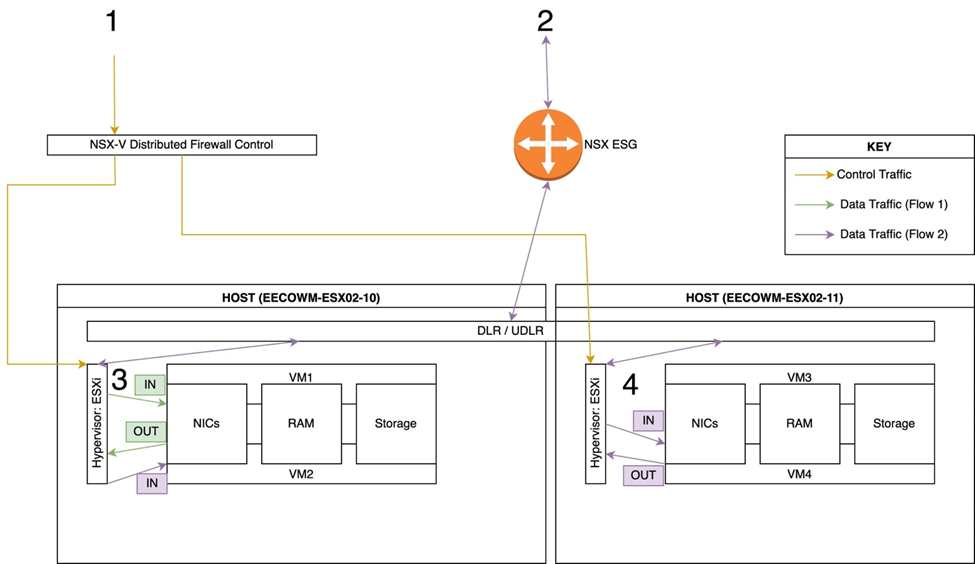
Steps as shown in the above diagram:
- Write Rules in the Distributed Firewall (DFW) config in vCD
- Upon Saving, vCD pushes rules to the applicable Hypervisors
- If your rule references IPs used by VM1 and VM2 only, then the rule is pushed only to Hypervisor A.
- If your rule references IPs used by VM2 and VM4, then appropriate rule(s) are pushed to Hypervisor A and B
- Traffic between VM 1 and VM 2 is shown - Remember that DFW rules contain "in," "out," and "in/out" directionality
- Traffic between VM 2, VM4, and some external IP