On the side menu under Compute, you can see...
Virtual Machines
A virtual machine is a software computer that, like a physical computer, runs an operating system and applications. The virtual machine consists of a set of specification and configuration files and is backed by the physical resources of a host. Every virtual machine has virtual devices that provide the same functionality as physical hardware are more portable, more secure, and easier to manage.
In addition to the kinds of operations that you can execute on a physical machine, Enterprise Cloud virtual machines support virtual infrastructure operations such as moving a virtual machine from one host to another, taking a snapshot of virtual machine state, and establishing affinity between virtual machines that have similar requirements.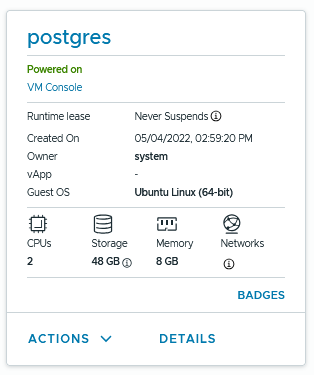
vApps
One or more virtual machines that communicate over a network and use resources and services in a deployed environment. vApps can contain multiple virtual machines as well as vApp networks which are either directly connected to your Organization Virtual Datacenter Networks or isolated from them. vApps are useful for a number of different use cases, such as when multiple virtual machines all work together to provide a unified application or service; for example: a database, a couple of webservers, and a load balancer. By placing multiple VMs into a vApp, you can manage them together such as defining a start and stop order, power them off and on with a single click, and have custom internal networking. The vApp can be also turned into a template or cloned to make spinning up new vApps with the same configuration much easier.
Further Reading: Working with vApps